Multi Use

Buyers Guide
- Home Theatre
- Education
- Business
- Church
- Multi-Use
- Pubs and Clubs

Projectors
- Acer
- BenQ
- Canon
- Casio
- Epson
- Mitsubishi
- NEC
- Optoma
- Panasonic
- Sanyo
- Sony
- Viewsonic

Screens
- Which Screen?
- Portable Screens
- Pull Down Screens
- Fixed Screens
- Rear Projection Screens
- Motorised Screens

Accessories
- Cables / Adapters
- Lamps
- Document Cameras
- Set Top Box / Bluray Player
- Ceiling Mounts


Choosing the right projector.

What brightness level do I require?
What Resolution is right for me?
How portable should my projector be?
Should I get a DLP or LCD projector?
Are there any 3D Projectors?
What inputs/connections should I use?
What is dual aspect ratio?
What projectors do you recommend for multi use?


Multi Use Projectors

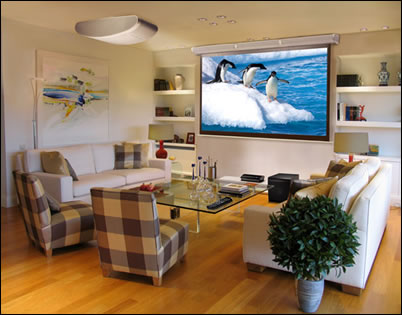
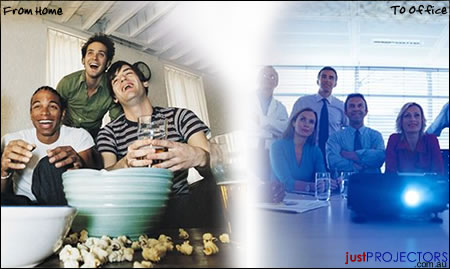
A Multi-Purpose projector can be described as one that is used for a variety of purposes; including corporate presentations, video, home movies, XBOX/PS2, and retail displays. These projectors generally have a higher contrast ratio and brightness level (suitable for many different locations), plus many also have an extended lamp life in order to minimise the long-term operational costs.

DLP have traditionally been the better alternative for multi-purpose projectors (with a much higher contrast), however some newer LCD models have sparked some interest for both video and data use. This is explained further in the information below.

What brightness level do I require?
Brightness with all digital projectors is universally measured in ANSI Lumens. As multi-use projectors are used in varying environments its difficult to give an exact required brightness level. If you are planning to use your projector primarily for home movies and only occasionally for presentations then a brightness level as low as 1600 ANSI Lumens will be quite suitable. If you would like to use your projector in meeting rooms or would like to use it in a lit room, than a brightness level between 2000 and 3000 ANSI Lumens is recommended.

What Resolution is right for me? [top]
A Native Resolution is essentially a measurement for the number of pixels being projected. A multi-use projector usually have one of the below resolutions.
SVGA - 800x600
XGA - 1024x768
WXGA - 1280x800 (High Definition)
WUXGA - 1920x1080 (Full High Definition)

When using your projector for detailed images/graphs, where small fonts are being used, or when a large screen size is required, we recommend an XGA or WXGA native resolution. An XGA resolution will project more pixels and therefore a more detailed image than its SVGA alternative. For a basic presentation or video projector that will not be projecting onto large screen sizes, a resolution of SVGA will be suitable. You may notice some pixelation or grid squares when using a SVGA projector on a large sized screen (2metres + in length).
WXGA is the newer widescreen alternative which will give you more detail again. It also gives you the advantage of being easier to setup with newer laptops which are now predominantly widescreen and will work better with training videos television or movies giving you a full screen image.

How portable should my projector be? [top]
With advancing technology, projectors are now smaller and more portable than ever before. Many new projectors weigh in at only 1kg and take up less room than a notebook computer. Currently the bulk of multi-use projectors weigh approximately 2-3kg with the the portable versions weighing 1-1.5kg.

Whilst the standard weight of 2-3kg is still very light and relatively easy to carry around, if you are constantly on-the-move, a light weight mobile projector may be preferred.

Should I get a DLP or LCD Projector ? [top]
LCD & DLP are two different types of projector technologies. The LCD type uses 3 small LCD panels to create the projected image, wheres the DLP type uses a spinning wheel of different colours to create the image. Whilst DLP is a newer technology, it does not neccessarily mean its better for all uses.

LCD has tradionally been better with colour reproduction than the DLP alternative. The LCD panels are able to create more precise and exact colours, however due to restrictions with the technology, are also unable to create an absolute black resulting in a low constrast ratio. A DLP projector is able to project darker images in more detail as they generally offer a higher contrast ratio.

A multi-use projector must be be good for presentations as well as for movies. Whilst LCD projectors offer excellent colour and may be better for video in a lit room, if you are planning on using your new projector in a dark room for movies, DLP (with its higher contrast ratio) will be the better alternative.


Are There any 3D Projectors?
[top]
3D is a very new entrant in the projector and even TV market. There are currently three 3D standards:

  • Direct 3D - For connection to a Bluray Player, or games consoles
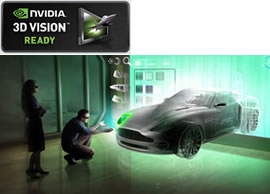
  • nVidia 3D Vision - For connection to a 3D enabled PC for 3D games & blurays
  • 3D Link - For connecting to a 3D converter box like the 3D-XL for games movies and presentations.

For more information visit our 3D projectors page.


DLP technology uses a spinning wheel of different colour segments that flash each colour separately onto the screen at extremely fast speeds, so fast infact that the human eye cannot identify the individual colour instead seeing the end image. On some DLP projectors there is what is known as a rainbow effect, where some people see faint lines of varying colours. This is only a minor problem that occurs in some 4 segment DLP projectors and most people do not even notice it. Newer DLP projectors feature a 5 colour segment wheel that helps reduce the chance of ever seeing a 'rainbow' on the screen.
Whilst the chance of seeing a 'rainbow' is very low we recommend purchasing a 5 segment projector just to be on the safe side.


What Inputs/Connections should I use?[top]
Many people do not really consider the importance of having the right inputs. You should pick a projector with the right connections for your equipment.

The hierarchy of video quality:

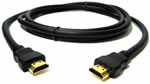
  - Best Quality Digital High Definition video DVI or HDMI
HDMI Cable
 
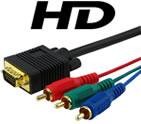
  - Good Quality Analogue High Definition Video Component or VGA (15pin D-sub)
 
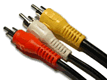
  - Basic Quality Analogue Low Definition Video S-Video or Composite video

What is dual aspect ratio ? [top]
Every digital projector has a native aspect ratio, or a ratio the projector was built for. An aspect ratio for Australian projectors is usually either 16:9 or 4:3. A 16:9 aspect ratio is the standard widescreen image that most DVD's and HDTV are encoded in. Standard free-to-air television is encoded in 4:3 format.

Many multi-use projectors not only have a native aspect ratio but have a second aspect ratio that can be selected. Having this dual aspect ratio is important if you would like to use the projector in 4:3 for a presentation but then wish to play a widescreen movie.

Be aware that when selecting the secondary aspect ratio, the projector will create a smaller screen, ie. if changing from 16:9 (native) to 4:3, it will simply cut off the sides to create a more squared image. If your projector is 4:3 (native) and you are changing to 16:9 widescreen, the projector will cut off the top and bottom of the screen in order to create a wider image. As the screen size is now smaller, the projector may have to be repositioned to create the desired screen size.

What projectors do you recommend for multi-use? [top]


Acer X1161P DLP Multi Purpose PROJECTOR

As one of the best value projectors on the market, the new Acer X1161P not only has a great modern appearance but a small compact Chassis. It's the perfect value option for those who would like to do a bit of everything with their projector. It offers an good brightness rating of 2700 ANSI Lumens making it great for business presentations even in a lit room. With a 4000:1 contrast ratio it is also going to be good for home movies, retail advertising and even watching the footy on a Saturday afternoon.

The unit uses the latest DLP technology with a 6 segment colour wheel eliminating rainbow effects seen in its predecessors and some older DLP models.

This projector is relatively easy to carry around with a small chassis, 2.3kg weight.and offers low running costs with a long lamp life of 6000 hours.
All this couples with a low noise level of 26db on economic mode making this one of the standout projectors on a budget.

Epson EB-W12 LCD Multi Purpose Widescreen Projector

EB-W12

The EB-W12 is the first in a new line of projectors from Epson that offer horizontal keystone correction on a mainstream projector. Most models have vertical keystone but having the projector left or right of the image has traditionally been something just for the large venue models. The EB-W12 isn't good just because of one feature though, they have equiped it with a swag of goodies you wouldn't normally see under $1000. Most LCD projectors will give you about 500:1 contrast but the new EB-W12 has a whopping 3000:1 contrast for excellent black levels and rich dark shading while giving you the advantage of the LCD projectors' great colour reproduction.

The EB-W12 also includes the WXGA resolution which gives you more detail, and a HD widescreen native picture perfect for newer laptops and movies which are both made for widescreen viewing. On the input side of things the EB-W12 has the added benefit of a USB Memory stick reader to present JPEG pictures direct without a computer, and the new USB link function which allows for users on the go to "auto connect" the projector through a USB cable allowing for quicker setup. Plus the new HDMI connection to allow you to get the extra clarity of a digital picture available through most newer laptops, and they have the more traditional VGA just in case you don't have a HDMI on the laptop.

Aside from the movies the EB-W12 is perfect for the presenter on the go with quick power on avoiding long warm up times and instant off avoiding long cool downs while adding on the extra layer of safety in case of a blackouts. The Lamp life is exceptional at 4000 hours on high brightness mode and 5000 on economic with a 2800 lumen brightness allowing for presentations in well lit rooms. Lamp cost is exceptional at $199 making for great long term value.

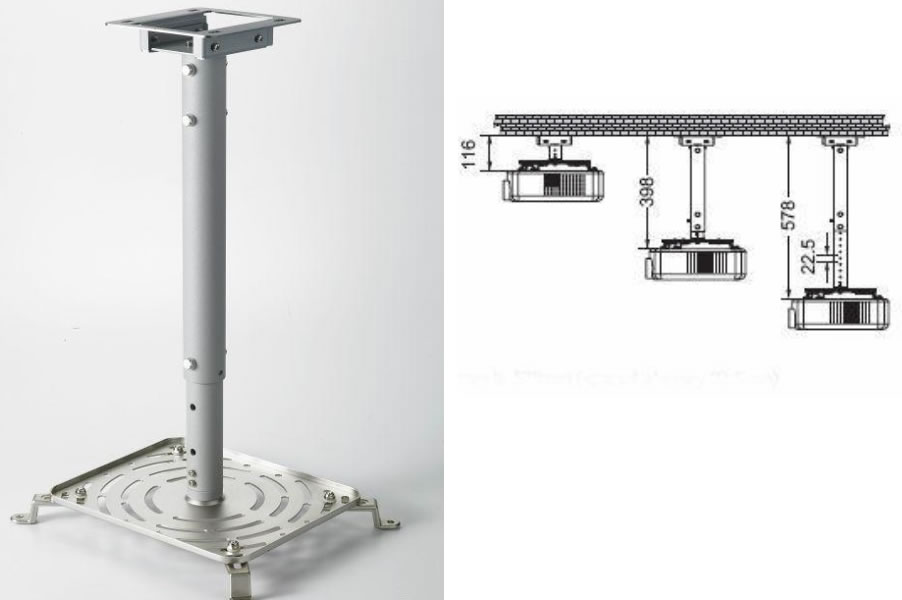
It is relatively easy to carry around with a high quality soft carry case included. It comes with the required base mounting holes so can be ceiling mounted. A universal mount will cost approximately $149.


Horizontal Keystone

Auto Vertical Keystone

Viewsonic PJD6531W DLP High Brightness Multi Purpose Projector

Viewsonic have always specialised in high brightness projectors and yet again they have released a real power house. The PJD6531W has a massive brightness of 3300 lumens with a high resolution of WXGA allowing for projection in even brightly lit rooms, halls or churches with large image sizes but with a HD widescreen picture. Surprisingly the lamp life is still quite good at 5000hrs in economic mode ensuring low cost of ownership.

Viewsonic haven't just installed a monstrous lamp, the PJD6531W also has a 2800:1 contrast ratio giving it the ability to display true black shades and rich dark colours allowing higher detail in darker presentations, movies, or home theatre applications.

With a great set of features they've also added a good range of inputs with two VGA inputs, the newer HDMI and the traditional S-Video and Composite. With the high brightness the PJD6531W is perfect for settings where natural light is an issue as well as multipurpose use. It is easy to carry around at 2.8kg in weight and comes a soft carry case.

To back the new release Viewsonic have also given it an exceptional warranty of 3 years and have warranted the lamp for 12 months. It comes with the required base mounting holes so can be ceiling mounted. A universal mount will cost approximately $149.

Optoma

Optoma EH2060 DLP Full HD High Brightness Multi Purpose Projector

EH2060

Optoma have always specialised in high brightness projectors and yet again they have released a real power house. The EH2060 has an Impressive brightness of 4000 lumens with the Full HD 1080p resolution allowing for playing Bluray movies or projecting detailed presentation with even the smallest detail reproducted in brightly lit rooms, halls or churches with large image sizes. Surprisingly the lamp life is still quite good at 3000hrs in economic mode ensuring low cost of ownership.

Optoma haven't just installed a monstrous lamp, the EH2060 also has a 2500:1 contrast ratio giving it the ability to display true black shades and rich dark colours allowing higher detail in darker presentations, movies, or home theatre applications.

With a great set of features they've also added a good range of inputs with a VGA inputs, 2 of the newer HDMI, a component port and the traditional S-Video and Composite. With the high brightness the EH2060 is perfect for settings where natural light is an issue as well as multipurpose use. It is easy to carry around at 3.5kg in weight and comes a soft carry case .

To back the new release Optoma have also given it an exceptional warranty of 3 years and have warranted the lamp for 12 months. It comes with the required base mounting holes so can be ceiling mounted. A universal mount will cost approximately $149.


© 2011 GM Multimedia Pty. Ltd. All rights reserved. ABN: 82 119 523 723. GM Multimedia does not operate a showroom. All product information can be accessed by contacting our sales department. All brands and names are trademarks of their respective companies. Prices in $AUD and are GST inclusive. Prices subject to change without notice. Product images used on website are for illustration purposes only and may vary from the product description. Legal Notice & Disclaimer